Thursday, 19 February 2015

10 Windows Phone Tricks And Settings You Should Know

You feel so excited as you have just received a brand new Windows Phone. You start exploring the phone in almost all the corners. You have already installed many apps which appear on the start screen. You’ve get used to the gestures, and eventually also find some hidden features.
Yet, with all the features that ship in Windows Phone, there’s a chance that you have missed a couple of handy tricks and useful settings to configure and tune up your Windows Phone. So, here are 10 tricks and settings that you should know to get the most out of Windows Phone. Let’s check them out.

Capitalize And All-Caps Words Quickly

Typing in Windows Phone can be so much faster, if you know this little trick. For example: while typing, you may highlight a word and tap the Shift key to capitalize the first letter. Tap it a second time and it will capitalize the whole word. Holding down the Shift key will turn on the caps-lock mode.

Turn Off Navigation Key Vibration

Windows Phone handhelds ship with 3 physically sensitive buttons – namely the back button, the home button (which is depicted with the Windows new logo) and the search button. These buttons will vibrate as you tap. If you feel that the vibration is kind of annoying or you simply want to switch it off for whatever reason, go to Settings > Touchand turn off the Navigation Bar.

Action Center Half-View

Windows Phone has finally come with an Action Center that stores app notifications as well as a couple of shortcut settings for quick access. To view the Action Center, swipe your finger from the top edge of the screen down to the bottom. Alternatively, halt your finger at the middle to only view the shortcuts.

Configuring The Action Center Shortcut

There are 4 shortcuts present in the Action Center, but a Windows Phone with a wider screen will have 5. Configure the shortcuts with ones that you frequently need most withSettings > Notification+action menu. Tap one of the current shortcuts, and select another on the list as the substitute.

Remove All Your Notifications In One Swipe

You can remove a notification in the Action Center by swiping your finger from the left to the right of each notification item. But, sometimes you can have heaps of notifications that will tire your fingers out. In that case, use 2 fingers to swipe all of them away in one swift motion.

Move And Install Apps To SD Card

One of the best things about a Windows Phone is that the storage capability is upgradable with an SD Card for up to 64GB. You can store files, images, videos, and even apps in the SD Card instead of within the internal storage.
So, if you have an app that takes up a lot of internal storage, it’s better to move it into the SD Card. To do so, go to Settings > Storage Sense. Tap the app+games and select the game. You will find the button to transfer it to the SD Card.
Note: This button will only appear if you have your SD Card installed.

Mute The Shutter Sound

When taking a picture or taking a screenshot of the phone, you will hear the shutter sound that is similar to the sound a real camera makes . Did you know that you can turn this sound off? If you don’t want people around you to notice that you are taking pictures, go to theSettings > ringtones+sound and untick the Camera shutter.

Assign Nick Name For Cortana

Cortana, though in Beta, is very capable and and up to par with its competitors. Cortana can help you call or text a specific person by calling his/her name. Alternatively, you can also call the nickname. So, instead of call “John Doe”, you may simply tell Cortana to call “Driver” (if he really is so).
Go to the Cortana’s Notebook. Then, select the Inner Circle option and select the the person from the contact list to be assigned for a nickname – you can assign up to 3 nicknames. Cortana’s Notebook is where Cortana learns about you. Therein, aside from the Inner Circle, you can specify your Interest and Favourites as well.

Projecting Screen

You can project Windows Screen to a TV or to your PC screen. This can be very useful for creating screencast tutorial and demonstrating Windows Phone in a presentation. To do this, you will have to install Project My Screen. Connect Windows Phone to PC with USB, and start projecting the screen through the Settings > Project My Screen.
Additionally, turn on the Show touch option to show your finger position on the PC screen with a dot.
Note: This is only applicabale in Windows Phone 8.1.

Disable Narrator Text

Windows Phone is built with accessibility in mind. People with vision disabilities can use Windows Phone through the Narrator function. The Narrator will read aloud the text on the phone. I myself once enabled the Narrator, and it honestly freaked me out.
Once this feature is enabled, some features are disabled, like Swiping, and I could not find my way back to turn it off in the Settings. At the end, I was able to sort it out. You can do it by holding the Volume button and tap the Windows icon at the same time.

15 Free Android VPN Apps To Surf Anonymously

Everyone is getting more concerned about the issue of Internet security especially when making transactions via mobile. VPN (Virtual Private Network) is technology that enables you to add an extra level of security while you surf the Internet without compromising the privacy of personal data, even whilst using public WiFi networks.
There are many ways to access the region-based blocked content as well but VPN software/apps provide a handy way to do so. For the ease of Android users, I have pooled together 10 of the top free Android VPN Apps along with some bonus apps that may prove to be useful.

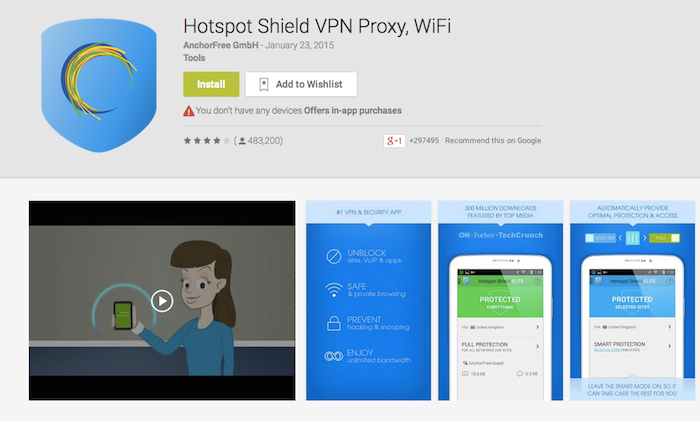
1. Hotspot Shield VPN Proxy

With approximately 330 million downloads around the globe, Hotspot Shield is at the top of the list. Apart from traditional features found in any VPN app, it provides banking-level HTTPS encryption to secure the WiFi connection so that the outgoing data can be protected from eavesdroppers. [Get it here]

2. SecureLine VPN

SecureLine VPN is a nice app developed by Avast. They are famous for developing one of the best antiviruses worldwide. The private VPN Tunnel of SecureLine VPN encrypts the data using IPsec protocol which makes it really tough for hackers to snip the data through public WiFi hotspots. The app will perform all this work for you with just a click. [Get it here]

3. Spotflux VPN

Spotflux is a VPN app which take cares of the seclusion of data by providing 2 levels of protection and reduces the consumption of bandwidth by compressing data. This makes it a suitable choice for those who are interested in securing their data as well as maximizing the data plan available on their device. [Get it here]

4. Hola Free VPN

Hola Free VPN app is mainly for those who are looking for a completely free VPN android App with some striking features. Along with securing data and providing access to geographically blocked content, Hola Free VPN speeds up browsing by selecting and connecting to the nearest and fastest servers automatically from the list of servers located in 190+ countries. [Get it here]

5. Speed VPN

Speed VPN is an app which allows one to connect to the Internet through servers located at multiple geographical locations. It is designed particularly for web browsing by unblocking geographically restricted sites and for viewing low resolution videos. Each session of Speed VPN lasts for 60 minutes and it can be reconnected with a click. [Get it here]

6. Super VPN

Super VPN is an easy to use Android app with approximately 5 million installs around the globe. It encrypts the traffic to keep the transmitted and received data safe from 3rd party tracking without having to register or configure the settings of the device in a special way. Just a single click will enable you to use the Internet and browse websites anonymously. [Get it here]

7. Hideman VPN

The main feature of Hideman VPN is to secure the transmitted data as much as possible and for this purpose the algorithm uses a 256-bit encryption key. This scrambles the original data in such a way that if anyone is monitoring the data they wouldn’t be able to understand it without the key. The app offers 5 free hours per week although premium hours can be earned via in-app ad networks. [Get it here]

8. Touch VPN

Touch VPN encrypts data by using Secure Socket Layer (SSL) which maintains a secure and encrypted link between server and client. The app also helps conserve the battery of the device in comparison to other VPN Apps. This makes it great for those who are looking for an app which offers these 2 features. [Get it here]

9. Flash VPN Proxy

The Flash VPN Proxy app provides secure and encrypted VPN network to make sure that all your incoming and outgoing data remains intact from hackers and data stealers. The best thing about it is that you can use it smoothly because it offers a decent amount of bandwidth for communication, which is only often offered by premium apps. On top of that, there is no limit to how long you can connect for. [Get it here]

10. CyberGhost

CyberGhost is a nice app which provides banking-level security. Usually people have concerns that the apps might access their personal information that’s available on the device, CyberGhost respects the privacy of its users and does not access any personal information. The free version of the app provides access to 23 servers located in 15 countries while the premium version gives access to 300 servers in 23 countries. [Get it here]

Bonus: More Free VPN Apps

11. Tigervpns Android VPN

One-Click Android VPN is an app to protect one’s privacy and hide the source IP address. It offers up to 500MB of free trail traffic upon signing up. [Get it here]

12. Mobiproxy

Another useful VPN app to access the region-based restricted websites without being traced. It provides extra security for outgoing and incoming data. [Get it here]

13. Psiphon

Psiphon provides a simple way to access everything available on the Internet easily with secure VPN tunnel. A user can also explicitly define whether to tunnel everything or just the web browser. [Get it here]

14. Zero VPN

Zero VPN is an app which allows you to use VPN services at zero cost with no difficulty. The interface is easy to use which facilitates in surfing the Internet anonymously. [Get it here]

15. VPN Master

VPN Master is one of the top VPN apps for anonymous Internet usage that doesn’t require registration. It also allows you to choose any server in America, Europe or Asia with 99.9% uptime. [Get it here]

Samsung buys digital wallet star to take on Apple Pay

Samsung buys digital wallet star to take on Apple Pay

Samsung Electronics on Wednesday announced a deal to buy LoopPay, a young digital wallet firm challenging Apple Pay at retailer checkout terminals.
The South Korean consumer electronics giant did not disclose how much it is paying for Boston-based LoopPay, which was founded in 2013.
LoopPay technology is compatible with approximately 90 percent of retail terminals to let customers tap their phones for payment with registered credit cards, according to Samsung.
LoopPay has been built into smartphone cases as well as into fobs, or dongles, and transmits credit card data using magnetic fields to point of sale terminals in shops to effectuate transactions.
Buying the company will allow Samsung to use the technology to infuse its smartphones or tablets with mobile wallet capabilities that will work with magnetic stripe readers already in most shops.
"Through this deal we can significantly accelerate our mobile commerce efforts," said Samsung global innovation center executive vice president David Eun.
"We are excited to take our relationship with LoopPay to the next level, by bringing consumers a mobile wallet solution that is not just safe and reliable, but also widely accepted at more locations than any competing service."
LoopPay founders Will Graylin and George Wallner will join Samsung's mobile division, according to mobile team president JK Shin.
Apple (NasdaqGS: AAPL - news) has boasted that banks, shops and other businesses are embracing Apple Pay technology that lets new-generation iPhones be used as secure digital wallets.
Apple, which uses a different wireless technology for its iPhone payment system, has said use of its mobile wallet is growing. But the market has remained fragmented with other players.

Samsung is expected to unveil a new flagship smartphone powered by Google Android software at Mobile World Congress taking place in Barcelona the first week of March.

Googlifier Adds Googly Eyes to All Photos on the Internet and It's Amazing/Terrible

Googlifier Adds Googly Eyes to All Photos on the Internet and It's Amazing/Terrible

Have you ever visited a website and thought, “Yeah, this is good, but what if all of the photos on the page had googly eyes on them?”
This is the concept of the Googlifier, a new Chrome extension that lets you add googly eyes to a webpage’s photographs with the click of a button.
It’s an amazing concept and immediately makes literally every website in the world better. Visit any page, tap the Googly Eyes button in your Extensions bar, and wait for your screen to be Googlified.
Look what it did to the Daily Mail’s lead story, for example:
image
This is already a much more compelling splash, I think we can all agree!
Now, adding Googly Eyes to photographs is fun. But what makes Googlifier even more tremendous, in practice, is how inaccurate it is. You can see this above, in the random little eyeballs popping out of Beyonce’s neck. This happens all the time.
And frankly, it’s fantastic. And I can’t. Stop. Laughing. At Googlifed photos.
imageimageimageimageimageimageimage
Obviously, I’ve been having way too much fun with this tool. And you can too! Googlifier is a free download for Google Chrome here. Now, if you’ll excuse me, I have to visit my Facebook page and Googlify myself.

Counterpoint: Apple Will Never Build a Car


Wouldn’t it be cool — an Apple minivan, bringing Cupertino chic to the otherwise dowdy world of people movers?

That seems to be the fantasy of Apple fanatics who are rather liberally interpreting the news that Apple has hired several hundred automotive experts and started something called Project Titanto supposedly develop an electric car. Among the rumors: Apple design chief Jony Ive has a passion for cars and thinks most current models are dreary. The company already has a secret testing prototype(which happens to be a minivan) outfitted with all kinds of funky gear. And since Apple has been hiring talent from electric-car maker Tesla, it can only mean an iCar will be coming soon to revolutionize …. something …. about driving.

The prospect of the wondrous Apple taking on General Motors (GM), Ford (F) and other doddering relics of the 20th century is an irresistible storyline. It’s also insane, and if Apple ever confirms it’s getting into the auto manufacturing business, shareholders should sell immediately.

There’s no doubt Apple (like Google, Sony and others) is deeply interested in the market for automotive software, especially the information and entertainment services that are becoming integral to the driving experience. The typical driver spends hours in the car each week, and that time is highly valuable to information providers that compete viciously for mere minutes of consumer attention. “This is a big opportunity for Apple and Google,” says analyst Mark Boyadjis of IHS Automotive. “They’re trying to gain access to that time and the user experience mechanism that keeps the driver engaged.”

Car buyers can already use Apple’s CarPlay feature on certain models from BMW, Chevrolet, Ford and others. But CarPlay, which only works when you plug an iPhone into the vehicle, is a sort of first-generation workaround compared with the integrated software some futurists think will be commonplace in a few years. Imagine an iPhone embedded in the car, operating everything from your lights and garage door opener at home to your trip planning on the road to the car piloting itself under certain conditions.

As more cars offer Internet access, automotive software will become the gateway connecting drivers and their passengers to the outside world, and vice versa. At the moment, automakers are calling the shots because they build the cars, after all, and it’s their software that controls most critical functions. Apple and Google see automobiles as the next huge prize for tech companies that specialize in connectivity, and want as much of that market as they can get.

Most Apple customers don’t realize that the ‘i’ in iPhone (and iPod and iPad) is supposed to stand for seamless integration with the Internet, as Walter Isaacson reported in his biography of Apple co-founder Steve Jobs. That makes cars an ideal platform for the kind of technology Apple already produces.

A cumbersome business model

Manufacturing cars — like, on an actual assembly line — is an entirely different business, and an almost indisputably worse one than the business Apple is already in. Apple’s profit margin, for instance, is 22%. Its tightly controlled lineup of a few basic products generates phenomenal scale. Apple builds almost all of its products in China and other low-cost countries, where it doesn’t have to tangle with labor unions or western-style safety and environmental rules. Its products are lightly regulated consumer gizmos that are easy to ship and rarely need to be recalled.


Toyota, the world’s most successful automaker, has a profit margin of 7.6%, by comparison, which is just one-third of Apple’s. Like most big car companies, it builds vehicles all over the world, to minimize the risk of exchange-rate gyrations and satisfy demands in many countries for locally assembled vehicles. In addition to managing a massive manufacturing footprint, Toyota must abide by strict safety and environmental rules that vary from country to country and even within the United States.

Because the typical car consists of more than 20,000 parts, costly recalls are a cost of doing business, even when suppliers such as Takata cause the problem. On top of that, every automaker must contend with a constant stream of lawsuits from customers who get hurt or killed using their products, even when the product works exactly as designed. And even mighty Toyota is highly susceptible to recessions, since car purchases usually tank when companies cut jobs and consumers hunker down.

Why would Apple ever get involved in a low-margin, high-risk business like car manufacturing? Oh, right — because Tesla has proven you don’t have to be a big established player to make compelling cars. Of course, Tesla has also proven how hard it is to turn a profit in the car business. Tesla is so disruptive that it lost $294 million in 2014 and has never turned an annual profit in the nine years it’s been reporting numbers. CEO Elon Musk says Tesla won’t be profitable until 2020, and some analysts think it will take longer. Even so, rumors have persisted for more than a year that Apple wants to buy Tesla, as if Apple’s profit stream is too predictable and it needs the volatility of a money-losing manufacturing division and an experimental “gigafactory.”

The difference between building cars and building phones or computers is that it can take decades to scale a car company up to profitable size, with all sorts of complexities that could kill the company along the way. Apple, by contrast, went from being a Tesla-like newcomer in the smartphone market in 2007 to commanding 48% of the U.S. market in 2014. That share is the equivalent of GM, Ford and Chrysler combined in the automotive business. So unless Apple can somehow transform heavy manufacturing into digital magic, it would be sacrificing everything shareholders love about the company by building cars. CEO Tim Cook surely realizes this — he’s a supply-chain genius who knows a cumbersome business model when he sees one.


Specific opportunities for Apple

It still makes sense for Apple, like Google, to build prototype vehicles, perhaps even a fleet of them. This is probably why Apple is hiring a lot of automotive talent. Automotive software isn’t something you strap onto a car at the end of the assembly line (like CarPlay). To work right, it has to be integrated into a vehicle from the outset as part of a development process that can easily take five years for a single car. And it’s the automakers who have the leverage — not Apple — because they’re already building cars with user interfaces that are pretty darn… well, there’s the opportunity for Apple.

Many in-vehicle information systems have turned out to be overcomplicated assemblages of buttons and menus that leave drivers mystified and frustrated. Ford’s Sync system — developed with Microsoft — was a particular flub. Apple excels at the kind of streamlined experience that would be ideal in a car, where the driver is supposed to be watching the road, after all.

But no automaker is going to hand over the design of its cabin to Apple, simply because it’s Apple. So Cook & Co. need to develop some automotive expertise in order to compete with other suppliers that are chasing the same prize and have business relationships with the automakers going back decades. Building one prototype out of a minivan is barely a start. Building 100 or 1,000, however, and driving them around all over the world, might yield insights that could make Apple a serious partner in the auto industry.

Meanwhile, Cook may wait years to spell out what Apple’s automotive ambitions really are, since the sort of Applemobile rumors already swirling keep competitors off balance. That means we’re likely to catch glimpses of many “iCars” that will fuel a lot of eager anticipation. Just don’t expect one to materialize in showrooms.